
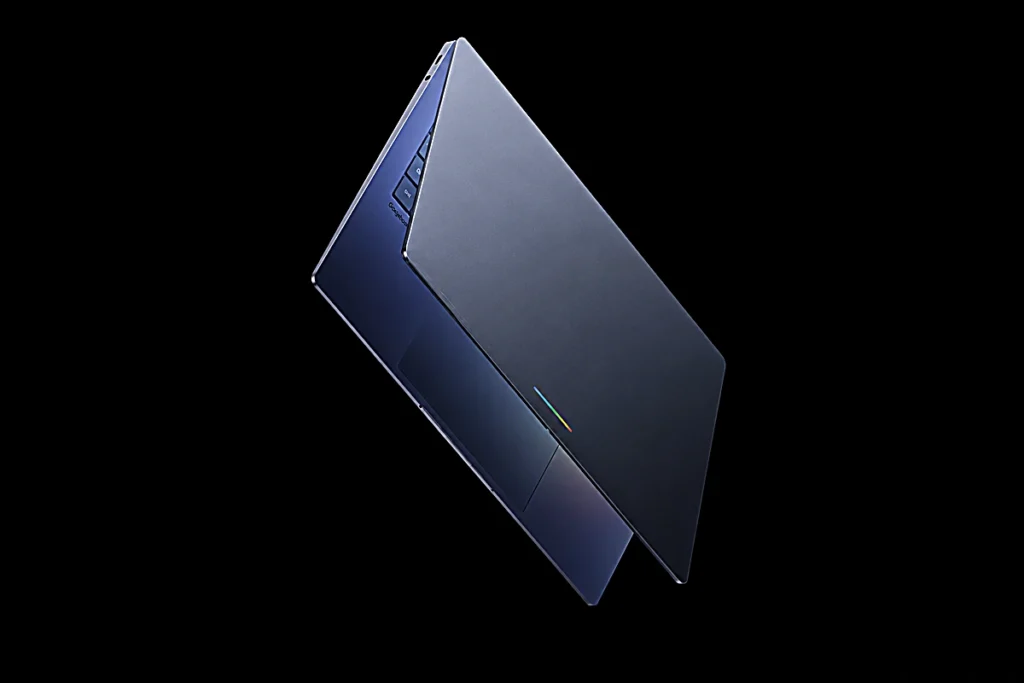
Googlebook marks Google’s bold new laptop vision
Googlebook seems like Google’s most ambitious laptop in more than a decade. After building Chromebook cloud computing laptops, the company is now turning its attention to AI-first personal computing. The fresh idea mixes Android’s flexible feel with the usual desktop vibe you get from ChromeOS, but it also puts Gemini AI in the centre of everything.
Google has been quietly moving Android closer to bigger screen experiences over the last few years while also making desktop-style apps behave more as you expect. On top of that, industry reporting about Google’s platform plan has been hinting at a deeper blending of Android and ChromeOS systems, so this latest announcement feels like the next step in a line that was already forming.
What makes Googlebook interesting is that it is not being positioned as just another laptop. Google wants this to feel like a completely new category where the operating system behaves less like passive software and more like an active assistant.
Googlebook puts Gemini AI at the center of the laptop experience
The biggest shift with Googlebook is the idea that AI is not a separate chatbot window sitting in a corner. Instead, Gemini becomes part of the entire operating experience.
That changes how users interact with their machines. Rather than manually switching between apps, copying information, saving images, and typing prompts into an assistant, Googlebook aims to understand context instantly.
For example, hovering over a date inside an email can surface relevant actions like creating a meetup, drafting a response, or helping organize plans. This turns simple interactions into assisted workflows.
The bigger idea here is convenience. Traditional laptops are powerful, but they often require too many manual steps for tasks that feel simple in your head. Googlebook seems designed to remove that friction.
Also Check | Is Japan’s Bullet Train Inspired from Kingfisher Bird
Googlebook introduces Magic Pointer for smarter interaction
One of the standout features is Magic Pointer, which transforms the ordinary laptop cursor into an intelligent assistant.
The cursor has barely changed in decades. Right click menus improved usability, but the basic pointer remained largely the same. Googlebook tries to reinvent that.
A simple cursor wiggle activates contextual suggestions based on what is visible on screen. If you point at a calendar date, Gemini may suggest scheduling options. If you highlight images, Gemini may offer visual generation assistance.
This matters because it shortens the path between thought and action.
Take a home decorating example. A user viewing a nursery photo could select the room image, choose wallpaper inspiration, add a crib reference, and instantly generate a visual preview. On most laptops today, that would involve downloading files, opening separate apps, uploading assets, and writing prompts manually.
Googlebook tries to make that feel effortless.
Googlebook blends Android apps with desktop productivity
One major reason this announcement matters is app compatibility.
Chromebooks succeeded in education and lightweight computing, but app flexibility often remained a weak point compared with Windows and Mac systems. Googlebook appears to solve that by leaning heavily into Android.
Since the platform draws from Android foundations while preserving Chrome strengths, users get access to Google Play apps alongside browser tools and extensions.
That creates interesting possibilities.
Google has already been expanding adaptive Android apps for larger displays, so Googlebook feels like the hardware expression of that software direction.
Also Check | Smartphone Used to Spy on People in North Korea
Googlebook makes your phone feel like part of the laptop
Cross-device integration may be one of Googlebook’s strongest selling points.
Anyone who uses a laptop along with a smartphone knows this happens way too often, where your workflow breaks across devices. You begin something on your computer, then, right away, you realise you need an app on your phone. You unlock the device, lose that original focus, and drift straight into those unrelated notifications.
Googlebook wants to eliminate that interruption.
Instead of forcing users to pick up their phones, Android apps can reportedly appear directly on the laptop interface. That means someone maintaining a learning streak in Duolingo, checking a delivery, or opening a smart home app could do it without leaving the laptop.
This sounds small until you think about how often it happens every day.
Googlebook also adds Quick Access, letting connected phone files appear inside the laptop file browser. Images received in messaging apps become instantly accessible for email attachments or document use.
That kind of continuity is something Apple users have long appreciated in their ecosystem. Googlebook looks like Google’s strongest attempt yet to create a similarly seamless Android experience.
Googlebook brings personalized AI widgets to the desktop
Customization is another area where Googlebook seems ready to stand apart.
The Create My Widget feature uses Gemini to craft personal desktop widgets based on what you ask.
Imagine planning a family tour and telling the system to build a widget that watches flight times, hotel stays, and restaurant bookings all in one place.
Instead of jumping around a bunch of apps or setting up separate tools, the desktop feels like it was tuned in real time around what matters to you at that time.
That makes the laptop feel less static and far more personal.
It also hints at where operating systems may be heading in general. Fixed layouts and rigid interfaces may gradually give way to AI-generated environments shaped around tasks and habits.
Googlebook hardware aims for a premium market
Googlebook is not being presented as a budget machine.
Google’s hardware partners, like HP, Dell, Lenovo, Acer, and Asus, are expected to craft premium laptops around this platform by using quality materials, smooth-looking design, and clean visual branding.
A unique Global design element is being used as a recognizable signature.
That signals an important shift.
Chromebooks built their reputation on affordability and education adoption. Googlebook appears to be chasing a more premium audience, including productivity users, creators, and professionals who want AI deeply integrated into their workflow.
Also Check | Why Your Brain Can’t Remember Your Baby Memories
Can Googlebook really compete with Windows and Mac
That is the big question.
The idea is exciting, but the way it gets done will decide everything.
AI features seem impressive in the demos; still, real-world reliability is more necessary than flashy presentations. Users will expect Magic Pointer suggestions that are genuinely helpful, not distracting. App compatibility also needs to feel smooth. Battery life, overall performance, and pricing will heavily decide whether people actually adopt it or not.
Still, Googlebook arrives at an interesting moment.
The laptop market has been waiting for a real shift in how personal computing feels. Faster processors alone no longer create excitement. AI integration could.
If Googlebook delivers on its promise, it may represent more than a Chromebook successor. It could be Google’s clearest attempt to redefine what a laptop should feel like in the Gemini era.
And for the first time in a while, the future of laptops actually looks interesting again.

A passionate blogger, content writer, and digital explorer, specialize in writing engaging, and value-driven articles across diverse niches.